
Buy YouTube Live Views
Going live with 5 viewers feels awkward. You're talking, explaining, performing — but the empty chat makes it look like nobody cares. With YouTube Live Viewers, your stream looks active from the moment you hit go live. A higher viewer count keeps people watching longer, encourages chat participation, and signals YouTube that your content is worth recommending. Perfect for gaming sessions, tutorials, Q&As, events, or any live content. Our viewers join when you're ready and stay for your chosen duration. No password needed — just your stream link. Trusted since 2014 with a 30-day refill guarantee.Trusted since 2014
Starts within minutes
No password required
Free of charge
Select other Products here
YouTube
-
Instagram Auto Services ➦
-
Instagram Followers ➦
-
Instagram Likes ➦
-
Instagram Reels ➦
-
Instagram Views ➦
-
Instagram Story ➦
-
Instagram Comments ➦
-
Instagram Igtv ➦
-
Instagram Hot Deals ➦
-
Instagram More Services ➦
-
Instagram Live ➦
-
Tiktok Auto Services ➦
-
TikTok
-
Facebook
-
Facebook Likes ➦
-
Telegram
-
YouTube
-
X (Twitter)
-
Spotify
-
SoundCloud
-
Threads
-
Bluesky
-
Discord
-
Linkedin
-
Twitch
-
Kick
-
Pinterest
-
DailyMotion
-
MixCloud
-
Vimeo
-
Ebay
-
Worldstarhh
-
Reverbnation
-
Imdb
-
Snapchat
-
Quora
-
Deezer
-
Shazam
-
Tumblr
-
Flickr
-
Traffic
-
Clubhouse
-
Kwai
-
Reddit
-
Whatsapp
YouTube Live Views
Additional Services for Your Package
How Live Stream Performance Affects Future Video Recommendations Across Your Entire Channel
Live stream engagement does not exist in isolation. YouTube's algorithm evaluates channel-level performance patterns across all content types. A channel that consistently runs live streams with strong concurrent viewer counts and active chat sections builds a positive channel quality signal. This signal influences how the algorithm distributes the channel's future uploads, including standard videos, Shorts, and subsequent live streams. Channels with strong live engagement histories receive broader initial distribution on new content compared to channels with weak or inconsistent live performance.
Chat activity during a live stream is a high-intent engagement signal. Every chat message is a comment-equivalent action that requires more effort than a like or a passive view. YouTube's system treats an active live chat as evidence that the stream is compelling enough for viewers to actively participate rather than passively watch. Higher concurrent viewer counts increase the probability of organic chat activity because more viewers in the room means more people willing to type. When you buy YouTube Live Viewers, the concurrent count creates the social proof threshold that encourages organic viewers to start chatting rather than watching silently.
After a live stream ends, YouTube publishes the replay as a standard video on your channel. Replay views count as regular video views and accumulate in the standard view counter. A 2-hour live stream that attracted 500 concurrent viewers generates significant additional watch time as a VOD replay, and that watch time counts toward your channel's total and toward the 4,000-hour YouTube Partner Program requirement. The live broadcast and the replay are two separate algorithmic evaluation windows from a single content event. Buying YouTube Live Viewers optimizes the first window (live broadcast visibility), which directly increases the audience for the second window (replay watch time).
Premieres vs Live Streams: Why the Distinction Matters for Buyers and How Each Format Uses Concurrent Viewers
YouTube Premieres and YouTube Live Streams share a live chat window but are fundamentally different products. A Premiere is a pre-recorded video released at a scheduled time. The video plays back exactly as uploaded while viewers watch together with a live chat sidebar. There is no real-time broadcast, no camera, and no spontaneous interaction. A Live Stream is a real-time broadcast where the creator is producing content live with no pre-recorded element. Both formats display a concurrent viewer count during the event.
For buyers, this distinction affects expectations. Buying YouTube Live Viewers for a Premiere increases the concurrent viewer count during the scheduled release window, making the Premiere appear more popular and generating organic chat participation. Buying Live Viewers for a Live Stream does the same but also affects the stream's algorithmic surfacing in real time, which matters more because live streams depend on real-time discovery in a way that Premieres (which are pre-scheduled events with set start times) do not.
Live streams can also be restricted to channel members using YouTube's Membership-only stream feature, which requires Channel Memberships to be enabled (500 subscribers and Tier 1 YPP). Scheduled streams appear in "Upcoming" status on the channel page up to 12 months in advance, allowing subscribers to set reminders. When you buy YouTube Live Viewers for a scheduled stream, you ensure the concurrent count is established from the moment the stream goes live rather than building slowly from zero while potential organic viewers check in and leave before activity starts.
FAQs | Frequently Asked Questions |
Buy YouTube Live Views
What is the difference between concurrent live viewers and total live views?
Concurrent viewers measures people watching at the same moment, updated second by second on the public player. Total views tallies every unique person who watched any portion throughout the full broadcast. A stream peaking at 500 concurrent might end with 3,000 total views as people cycle in and out. BCF raises the concurrent figure, which is the metric YouTube uses for real-time surfacing decisions.
Does a higher concurrent count actually improve YouTube's live surfacing?
Yes. Streams with stronger concurrent numbers appear in the Live tab, browse recommendations, and subscriber notification trays more prominently. YouTube also tracks your channel's live engagement history, so consistently strong broadcasts improve distribution for future uploads and standard video content alike.
How does BCF's "Start by Yourself" trigger work?
After completing your order, you receive a manual activation button. The instant your broadcast begins, press it and viewer delivery starts immediately. There is no automated timer involved. You control the exact moment the concurrent count starts climbing, ensuring delivery aligns precisely with your actual stream window.
Why does the viewer count fluctuate between 75% and 125% of my order?
BCF's delivery fluctuates between 75-125% of ordered viewers throughout the stream. This variance mimics natural live audience behavior. Organic broadcasts never hold a perfectly flat viewer count; people join and leave at unpredictable intervals. The fluctuation range produces a realistic analytics graph rather than a suspicious horizontal line in YouTube Studio.
Do live stream replay views count toward the 4,000 watch hours for YPP?
Yes. After the broadcast ends, YouTube saves the replay as a standard video. Every replay view adds to the regular counter, and the accumulated watch time counts toward the 4,000-hour Partner Program threshold. One broadcast creates two algorithmic opportunities: real-time surfacing during the stream and long-term VOD watch time from the replay.
Can purchased live viewers send Super Chats or donate money?
No. Purchased viewers raise the concurrent count but do not send paid messages or donations. The revenue path is indirect: a higher viewer count increases visibility, attracting organic viewers who may decide to spend on Super Chats, Super Stickers, or gift effects independently. Purchased viewers create the conditions; organic viewers create the revenue.
What are YouTube's gift effects and gift goals for live streams?
Gift effects are animated Super Chat overlays (Cat Ears, Flower Crown, Royal Crown) that display for 8 to 15 seconds during streams. Gift goals are experimental collective donation targets with countdown timers encouraging viewers to contribute toward a shared spending milestone. Both follow the standard 70/30 creator-YouTube revenue split and require Standard YPP eligibility.
Can I order live viewers for a YouTube Premiere instead of a live stream?
Yes. Premieres display concurrent viewer counts and support live chat just like broadcasts. The service increases the concurrent figure during the premiere window, making the release appear more popular and encouraging organic chat participation. The only difference is that Premieres play a pre-recorded video rather than a real-time broadcast.
Is it safe to purchase YouTube live viewers for my channel?
BCF's delivery fluctuates between 75-125% of ordered viewers, replicating the natural ebb and flow of real audiences. A flat, unchanging concurrent number is what triggers detection systems. The delivery produces organic variation YouTube expects from popular broadcasts, and no login credentials or channel access are involved at any point in the process.
What stream durations are available when ordering live viewers?
Six duration options at checkout: 15, 30, 60, 120, 180, or 360 minutes. Select the duration closest to your planned broadcast length. Viewers remain active for the selected window after you press the trigger. If your stream extends beyond the selected duration, purchased viewers will depart while organic viewers attracted during the broadcast may continue watching.
Do I need to provide my YouTube password to order?
No. The only input required is your live stream URL. BCF does not request login credentials, channel access, or personal account information. Paste the stream link, select your viewer count and duration, choose a payment method, and confirm.
How does strong live stream performance affect my other YouTube videos?
YouTube evaluates engagement across your entire channel, not just individual content. Channels with strong live streams and high concurrent counts build a channel quality signal that influences distribution for all content types. The algorithm provides broader initial distribution to new uploads from channels whose live history demonstrates sustained audience interest.
How To Buy
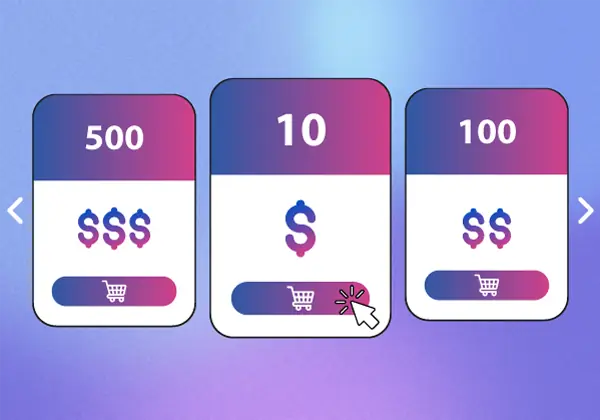
Select the fitting Package
Select the most fitting Package for your profile.
We offer a wide variety of choices.
There is a fitting option for every customer.
To select a package, add it to your Cart.
If you need help selecting the right package for your profile, please contact us via e-mail or LiveChat and we will be glad to help you out.
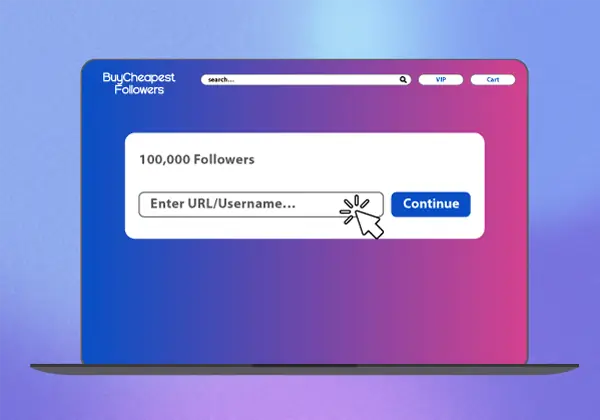
Enter the Delivery Username/URL
After selecting your desired package, a pop-up will appear, prompting you to enter the URL/Username for the delivery.
Please enter the appropriate information according to the pop-up.
After making sure it is correct, please press on continue.
Alternatively, you can continue shopping and add more items to your cart.
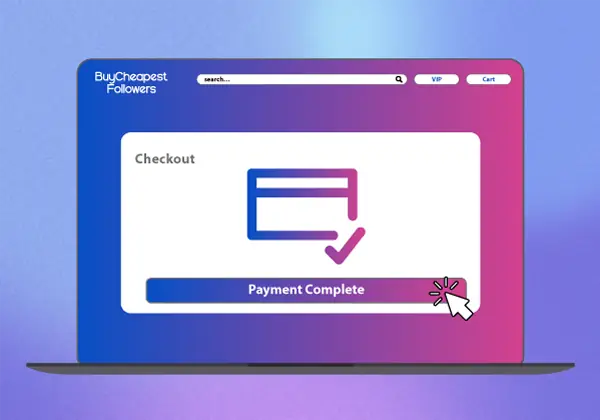
Successfully complete your Order
During this step, you need to complete your order.
If you have any additional things you want to tell us, please use the order form's comment box.
You can select between various payment methods, according to your desires.
We offer PayPal, Credit Card, ACH, and Cryptocurrency Payment.
Sit Back and See the Results
After you have successfully completed your order, you only have to wait for a short period.
We will start the delivery almost instantly.
You will be able to see the first results coming in after a short period.
Through these four simple steps, you will potentially skyrocket your online presence!