
How To Know If Someone Blocked You On Telegram
Learn the real signs of a Telegram block. See message and call clues, profile and status changes, false positives, and quick checks that work in 2025.

Ever wondered how to know if someone blocked you on Telegram?
Telegram is one of the most popular messaging apps in the world, with millions of people using it every day for both personal chats and large communities. But like with any platform, sometimes conversations don’t go the way you’d hope. If someone doesn’t want to stay in touch, they might block you.
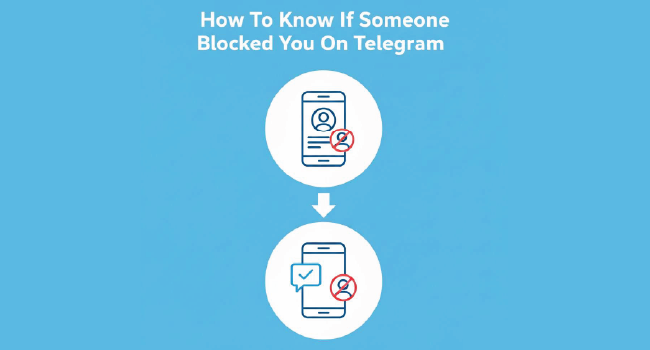
The tricky part is that Telegram never shows a direct notification when this happens. Instead, you have to look at the clues and put them together. In this guide, we’ll go over the main signs that suggest you’ve been blocked, explain what each one means, point out possible false alarms, and give you a simple three-step check to be sure.
Quick Answer: The Most Reliable Signs
There's no single button that tells you "you've been blocked," but if you notice these signals together, it's very likely:
-
Messages are never delivered beyond a single check. They show one check mark (sent to Telegram servers) but never turn into two checks (delivered).
-
Calls won't go through. Voice or video calls to the contact fail every time.
-
Profile photo disappears, and Last Seen shows "a long time ago." This is how Telegram hides status from blocked users.
-
You can't add them to groups. If you try to add them to a group, it simply doesn't work.
One of these signs on its own might mean something else, but when several line up, blocking is the most likely explanation.
What Each Signal Means In Practice

Understanding what each blocking signal means helps you interpret them correctly.
False Positives To Watch For
Telegram's numerous privacy controls can lead users to mistake normal settings for a block. Here are a few cases where things might look the same:
-
Privacy settings: A user can hide their last seen, control who sees their profile photo, or limit who can add them to groups. Any of these can mimic a block.
-
Inactive accounts: If someone hasn't logged in for a long time, messages may stay on one check without meaning you were blocked.
-
Deleted accounts: If their account is gone, you'll see "Deleted Account" instead of their name. That's not the same as being blocked.
The safest approach is to look for more than one signal. If all you notice is a missing profile picture, it may just be a privacy choice.
A Simple Three-Step Sanity Check

If you're unsure, here's a quick way to check without overthinking:
-
1. Send a short text. If it stays at one check for days, note it.
-
2. Try a voice call. If the call won't connect, that adds weight.
-
3. Try adding them to a small test group. If that doesn't work, and the first two steps matched, it's almost certain they blocked you.
This three-part check avoids jumping to conclusions based on just one clue.
What You Can and Cannot See If You're Blocked
When someone blocks you on Telegram, this is what happens from your side:
-
Your messages never reach them.
-
Calls fail to connect.
-
Their profile photo and status vanish, replaced with "last seen a long time ago."
-
You can't add them to groups.
What stays the same:
-
You'll still see their past messages in chats or groups. Blocking doesn't erase history; it only stops future interaction.
Troubleshooting Mixed Signals
Sometimes you'll see a mix of clues and won't be sure what they mean. Here are some quick tips:
-
Messages stuck at one check, but calls ring once then fail: Could be network issues. Wait a while before assuming it's a block.
-
Only the profile photo is gone: Likely privacy settings, not a block.
-
Contact shows as Deleted Account: That means they left Telegram entirely, not that they blocked you.
Let Likes Do the Talking

On Telegram, first impressions happen fast. A post that already has visible likes gives off a sense of credibility and relevance, even before someone reads it.
Instead of waiting for organic engagement to trickle in, you can use BuyCheapestFollowers Telegram auto likes service to seed your posts with real interactions from the start.
This small but powerful boost often helps attract genuine engagement over time, as people tend to trust what appears popular. Whether you’re building a community, promoting a business, or simply trying to grow faster, auto likes give your content that initial push that makes a difference.
Conclusion
Telegram doesn’t give you a direct alert when someone blocks you, but it does leave behind clear signs. If your messages never deliver, your calls always fail, their profile photo is gone, and you can’t add them to groups, you can be fairly certain you’ve been blocked.
Just remember: one clue isn’t enough on its own. Always look for at least two or three signs together before drawing conclusions. And if you are blocked, the respectful move is to accept it and move forward.
FAQs | Frequently Asked Questions
What happens exactly when someone blocks me?
You can’t message or call them, add them to groups, or see their phone number. Their status always appears as “last seen a long time ago.”
Why do my messages stay at one check?
It could be because they’re offline, they deleted their account, or they blocked you. By itself, one check isn’t enough to confirm.
Can I still see them in groups if they blocked me?
Yes. You’ll still see their messages in shared groups, but you can’t contact them privately.
If I see “last seen a long time ago,” does that mean I’m blocked?
Not necessarily. Privacy settings can hide last seen in the same way. Combine it with other clues like failed calls and undelivered messages.
Does Telegram notify me if I’m blocked?
No. Telegram never tells you directly. You can only infer from the signs.