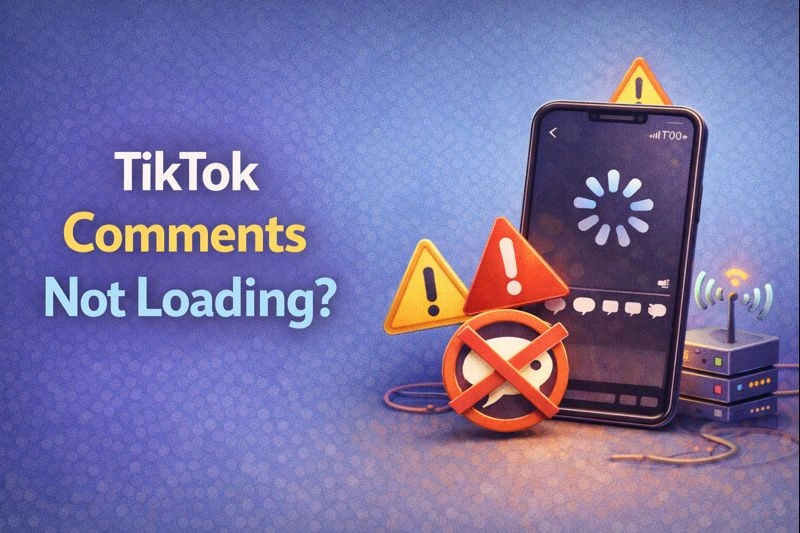
TikTok comments not loading stops you from engaging with creators and responding to your audience. You tap the comment icon and see nothing. The section stays blank, or comments take forever to appear.
Such a problem usually comes from a few common causes, and most of them can be resolved in minutes with the right approach.
I'll walk you through the fastest solutions first - the ones that work for most of the users. If those don't solve it, there are some deeper fixes that handle trickier issues.
Key Takeaways
Why Your TikTok Comments Won't Load
Before jumping into fixes, we need to identify what's causing the issue. It helps you skip straight to the solution that actually works.
TikTok Comments Not Loading: 5 Fixes
You can try these quick fixes in the order listed. Most people solve their problem within the first three steps.
TikTok Comments Still Not Loading? Try These Deeper Fixes
If the quick fixes didn't solve your problem, we need to dig deeper into settings and app health.
Reinstall TikTok
Uninstall TikTok completely from your device. Restart your phone, then reinstall the app from your app store. This gives you a fresh installation without any corrupted files.
You won't lose your account or videos. Just log back in with your credentials. If you reinstall the app, it takes about three minutes and fixes problems that cache clearing can't touch.
Uninstall TikTok completely from your device. Restart your phone, then reinstall the app from your app store. This gives you a fresh installation without any corrupted files.
Check Privacy Settings (For Creators)
If you're a creator and people tell you they can't see comments on your videos, check your privacy controls. Go to Profile, tap Menu, then Settings and Privacy. Select Privacy, then Comments.
Make sure "Who can comment" is set to Everyone, not Friends or No one. Turn off "Filter all comments" unless you specifically want to approve every comment manually.
Also, remove any keyword filters that might be blocking TikTok comments not appearing on your content. These settings only affect your own videos. They won't fix comment issues on other people's content.
Review Filtered Comments
TikTok automatically hides comments it considers spam or inappropriate. Many creators don't realize these comments still exist in a hidden folder.
Go to Settings, select Privacy, and open Comments. Tap "Review filtered comments" at the bottom. You'll see all the comments TikTok filtered out. Approve any legitimate ones that got caught by mistake.
It explains why some viewers claim they commented, but you never saw it. The comment exists but sits in your filtered section waiting for approval. Additionally, viewers who want to hide comments on TikTok live should know that this same filtering applies to live streams.
Check Activity Center
If your account has access to TikTok's Activity Center, you can manage comment settings on individual videos.
Go to Menu, then Settings and Privacy. Tap Privacy, then Activity Center, and open Manage Comments. This shows a list of your videos with their comment status.
Some videos might say "Comments not allowed" even though you never turned them off. TikTok sometimes disables comments automatically on videos it flags for review. Tap the circle next to each video to restore comments.
Account Issues and Shadowbans
When technical fixes don't work, your account might have restrictions you can't see.
Conclusion
Start with the quick fixes: restart your app, check your connection, and clear your cache. These solve most TikTok comments not loading problems within minutes.
If your comments finally load but engagement feels slow afterward, taking action can help. We offer a service that lets you buy TikTok comments from real accounts with fast delivery, so your videos don’t sit quietly while momentum rebuilds.
FAQs | Frequently Asked Questions
Can someone see if I viewed their TikTok comment section?
No, TikTok doesn't notify users when you view or read their comments. Your activity in the comment section stays private unless you actively engage by commenting or liking.
Why can I see some comments but not others on TikTok?
The creator might be using keyword filters or Creator Care Mode to automatically hide certain comments. Additionally, TikTok's spam detection sometimes filters legitimate comments into a hidden review section.
Can I recover deleted comments on TikTok?
No, once you or a creator deletes a comment, TikTok permanently removes it with no recovery option. However, filtered comments still exist in the creator's "Review filtered comments" section until manually deleted.
Why do my comments disappear immediately after posting?
Your comment likely triggered TikTok's spam filter or contains restricted keywords that the creator has blocked. Alternatively, you might be shadowbanned, making your comments invisible to others while still visible to you.