
How to Add Music on Instagram Story: Step-by-Step Guide
Find out how to add music to Instagram story, solutions for unavailable songs, tips for custom audio, and guidance for business or creator accounts.
You open Instagram, get ready to post a Story, and suddenly realize you’re not completely sure how to add music to Instagram story without the app throwing limitations, missing songs, or confusing options at you.
The truth is, Instagram gives you several ways to add audio, but each one works differently depending on your account type, the song you choose, and what you’re trying to share.
Once you understand how Instagram treats music inside Stories, choosing the right method becomes second nature. Let me walk you through the simplest way to get the sound you want, match it to your Story’s mood, and avoid the issues that trip most people up.
Key Takeaways
-
You can add music to a Story using Instagram’s built-in Music sticker, complete with lyrics, album art, or minimal visual styles.
-
Streaming apps like Spotify and Apple Music let you share track artwork to Stories, but the audio usually won’t play unless you add sound separately inside Instagram.
-
Business and creator accounts may see limited song options because of licensing rules, which is why some brands rely on royalty-free audio or original music.
-
Most music-related problems like missing stickers, muted Stories, and unavailable tracks come down to region settings, account type, or simple in-app glitches.
How to Add Music on Instagram Story with the Built-In Music Sticker
The Music sticker is the easiest way to add music to your Story. Even if you already know how to add music to Instagram story, the smaller details inside this tool determine whether your Story feels polished or rushed. Here’s the simplest way to use it without missing anything important.
-
1. Open the Story camera and tap the sticker icon. Capture your photo or video, tap the sticker button, and select the Music sticker to open Instagram’s audio library.
-
2. Search for a song, artist, mood, or genre. Use the search bar if you know what you want, or browse trending tracks and mood categories when you’re looking for inspiration.
-
3. Choose the exact clip and timing you want. Drag along the waveform to find the lyric, drop, or beat that fits your Story. Instagram limits the clip based on your Story’s length, so pick the moment with the most impact.
-
4. Customize how the music appears visually. Switch between animated lyrics, album art, or minimal audio bars to match your aesthetic. Each style creates a different tone without changing the sound.
-
5. Place the sticker and share your Story. Position it where it doesn’t block your visuals, confirm the timing feels right, and post. If the track is available for your region and account type, your viewers will hear it exactly as intended.
Great music makes your Story better, but strong engagement is what pushes it further. If you want more people to actually see the Stories you put effort into, we offer a service that lets you buy Instagram followers from real accounts with fast delivery.
When your follower count grows, your Stories gain more visibility.
How to Add Music to Instagram Story from Spotify, Apple Music, and Other Streaming Apps
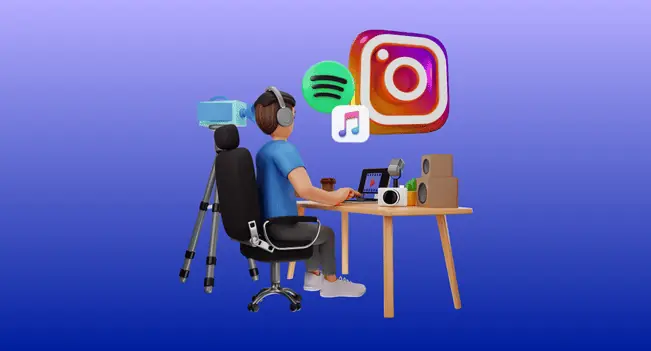
Sharing music from streaming platforms feels natural because you’re already listening to a song you love, but Instagram treats these shares differently from its built-in Music sticker.
The artwork and track details transfer instantly, yet the audio itself won’t play unless you add sound inside Instagram afterward. Knowing how each app behaves helps you avoid posting a silent Story by accident.
-
1. Share a track directly from Spotify or Apple Music. Open the song, use the built-in Share option, and choose Instagram. This creates a Story card with album art, song title, and a link that sends viewers back to the streaming platform.
-
2. Understand what actually carries over. The visual card comes through cleanly, but the audio does not. Instagram doesn’t import sound from these apps, so the Story is silent unless you add audio manually after it appears in the editor.
-
3. Use SoundCloud and Shazam the same way. These apps also share artwork and information, not the music itself. Viewers can tap through to listen, but they won’t hear the track on your Story unless you add audio within Instagram.
-
4. Add music inside Instagram once the share loads. After the card appears in your Story editor, you can open the Music sticker and choose a track that fits the moment. It won’t perfectly sync with the streaming card, but it adds the sound your viewers expect.
How to Add Your Own Songs, Voiceovers, or Royalty-Free Tracks to Instagram Stories
Instagram’s built-in Music sticker works well for most people, but there are moments when you want something more personal, like your own audio clip, a specific instrumental, a voiceover, or a track that isn’t available in Instagram’s library.
That’s when external editing tools become the simplest solution. They let you fine-tune volume, choose exact timing, and avoid the limitations that come with licensed in-app music.
Edit Your Story In a Third-Party Video App.
Open a tool like InShot, CapCut, VN, or any editor you prefer. Import your photo or video, then add the audio file you want to use. This is also where you can adjust timing if the beat needs to align with a movement or transition.
Add Your Custom Audio Directly to The Timeline
Drop in your song, voice recording, podcast excerpt, or sound effect. This is the best method if you’ve wondered how to add your own music to Instagram story without relying on Instagram’s music library. You’ll have full control over fades, cuts, and volume levels.
Use Royalty-Free or Licensed Tracks When Needed
If you’re creating something for a business or client, royalty-free music or Meta’s Sound Collection is usually the safest route. It prevents issues with muted Stories or unavailable tracks.
Export The File In the Correct Format
Save your video as MP4 at a vertical 9:16 ratio. Shorter clips export faster and maintain quality. Once the file is ready, open Instagram and upload it like any normal Story.
How Music Works on Instagram Stories for Business and Creator Accounts

Music access changes the moment you switch account types, and it catches people off guard constantly. You might learn how to add music to Instagram story on a personal profile, then open a business account and notice half the tracks disappear.
That’s the result of licensing rules that limit how commercial accounts can use popular songs. Business profiles often see a restricted library or only royalty-free options, while creator accounts keep most trending audio.
Promotional content adds another layer. Even if you’re using a creator account, music may be muted when a Story looks like an ad or product showcase. That’s why many brands rely on original audio, licensed tracks, or Meta’s Sound Collection to avoid takedowns.
If you collaborate with partners or other creators, communication matters. People obsess over who will tag someone on Instagram, but the bigger question is who controls the rights to the audio. Clear expectations prevent muted Stories and keep every post running smoothly.
Conclusion
Once you understand the tools available, choosing how to soundtrack your Story becomes almost instinctive. Some moments call for the simplicity of Instagram’s Music sticker. Others need the creative freedom of third-party editing or the personal touch of custom audio.
What matters most is using each method intentionally so your Story sounds as good as it looks.
FAQs | Frequently Asked Questions
Why did the Music sticker disappear from my account?
This usually comes from temporary bugs, regional limitations, or restrictions on business accounts. Reinstalling the app or switching to a creator profile often restores access.
Can I use my own audio without relying on Instagram’s library?
Yes, but it requires external editing. Some people assume they can upload music to Instagram, but the app doesn’t support direct audio uploads. You must add the sound in a third-party editor before posting.
Why does Instagram mute my Story after I publish it?
Muted Stories happen when Instagram flags copyrighted audio being used in a way that doesn’t match your account type or appears similar to promotional content.
What’s the difference between music in Stories and music in posts?
Stories offer a wider selection because they’re temporary. Posts follow stricter rules, and you often see far fewer songs there. Many users try to work around this when they want to add music to Instagram post, but the available options are intentionally limited.
Why do some songs say “unavailable” when I try to use them?
That usually means the rights holder restricted the song in your area or blocked it for certain types of content. Sometimes switching to a different version of the track solves it.